
How to require a channel subscription before posting in a Telegram group
Add UC PR Bot as a group administrator, choose the access condition with buttons and select the channels, groups or invite target. No commands or external dashboard are required.
Before setup
- Your Telegram group must be a supergroup.
- UC PR Bot needs administrator permissions to delete messages, restrict known spam accounts and create a Join button for a private required channel or group.
- For membership checks, the bot must also be an administrator in every required channel or group.
- Invite tracking itself counts only people added manually through Telegram; joining by a link or request does not count.
Step-by-step setup
Add the bot
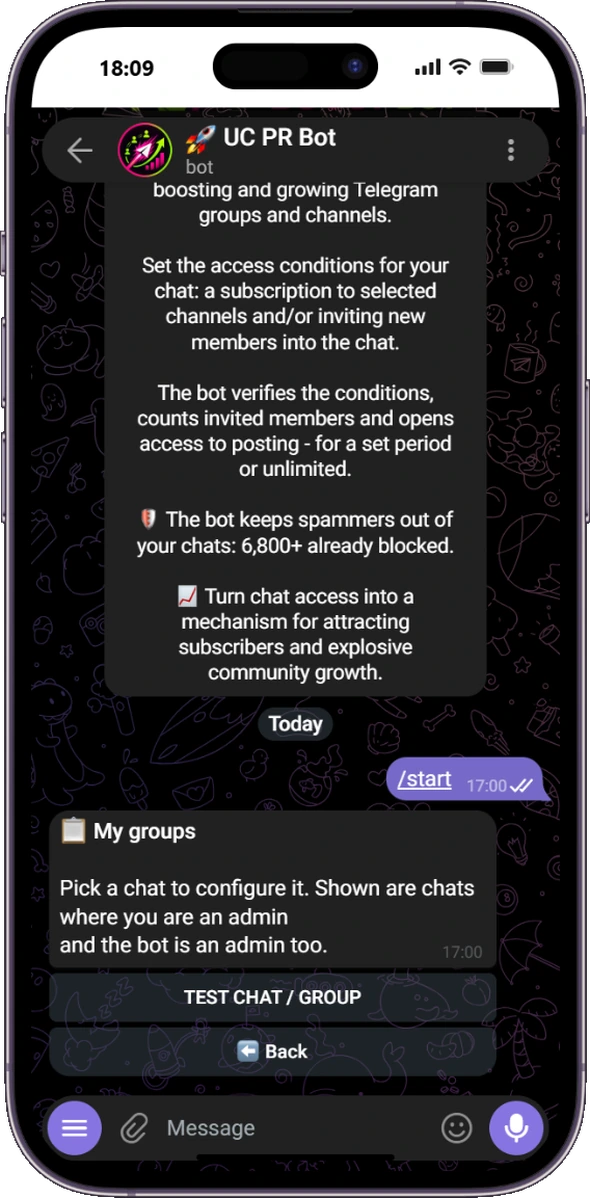
Open @UCPRbot, tap Add chat and select the Telegram group you manage.
Open My groups
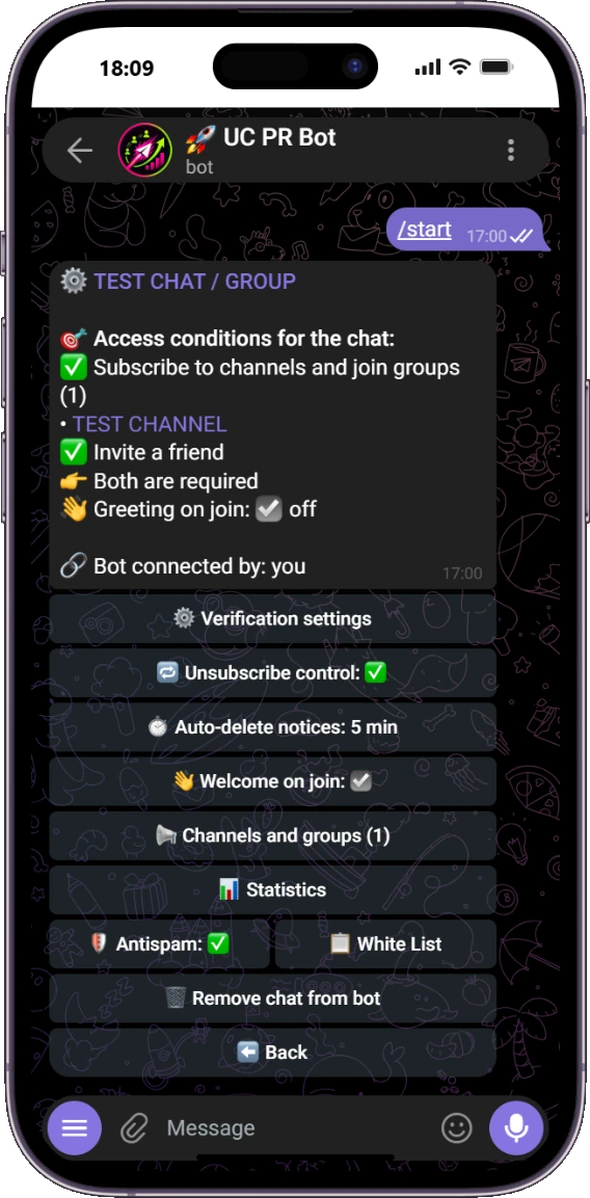
Select the group. The bot shows whether the access check is new, active or paused.
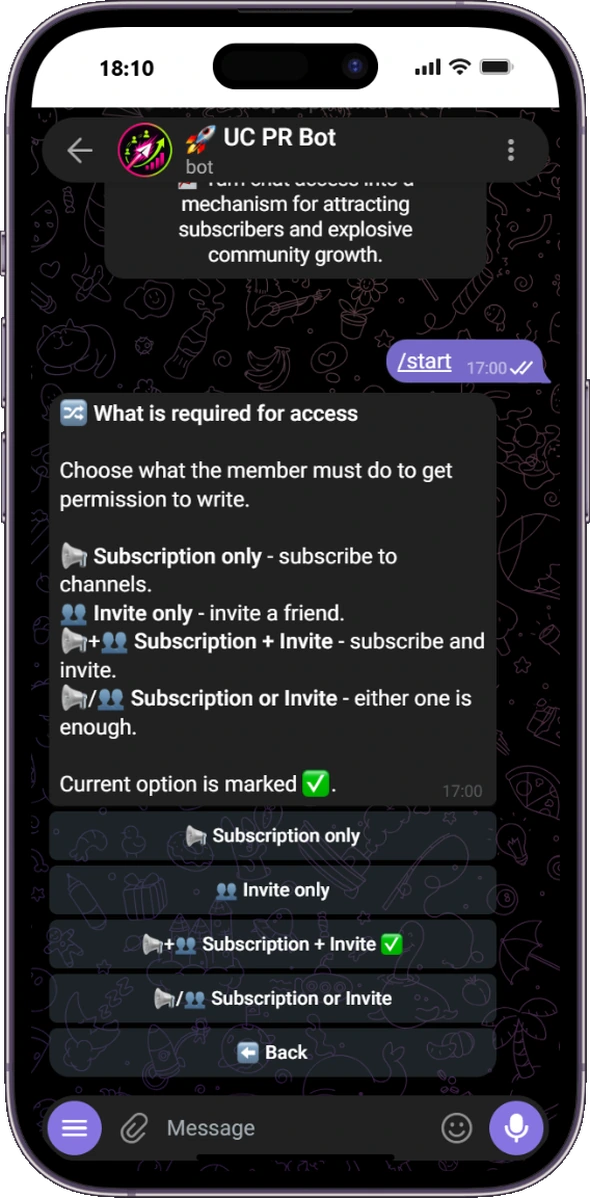
Choose the rule
Use subscriptions only, invites only, both conditions, or either condition.
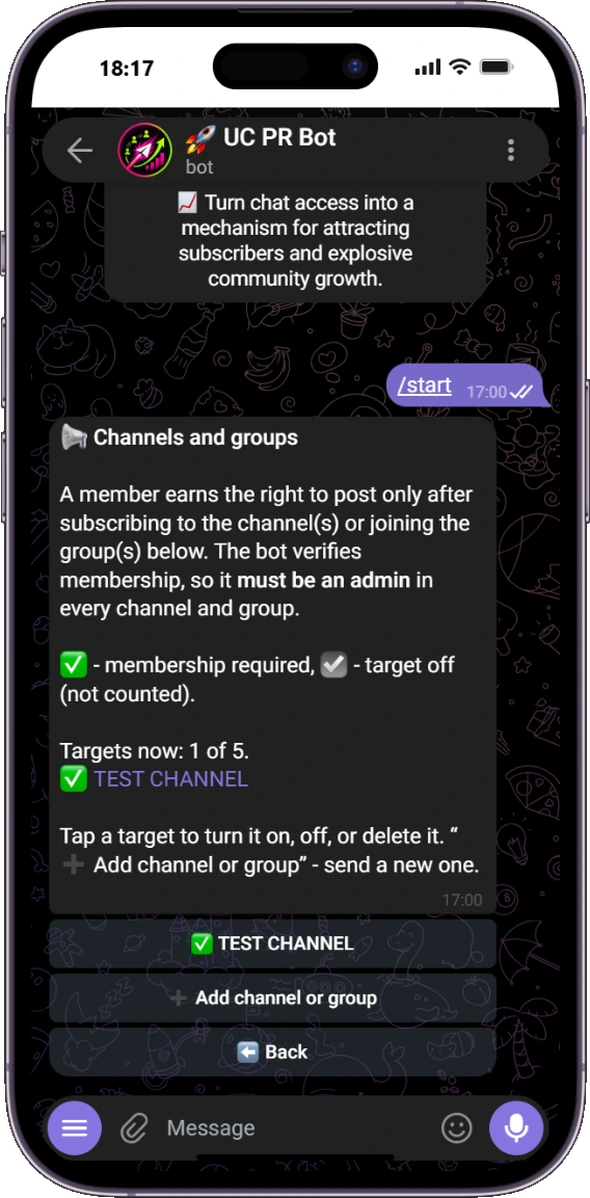
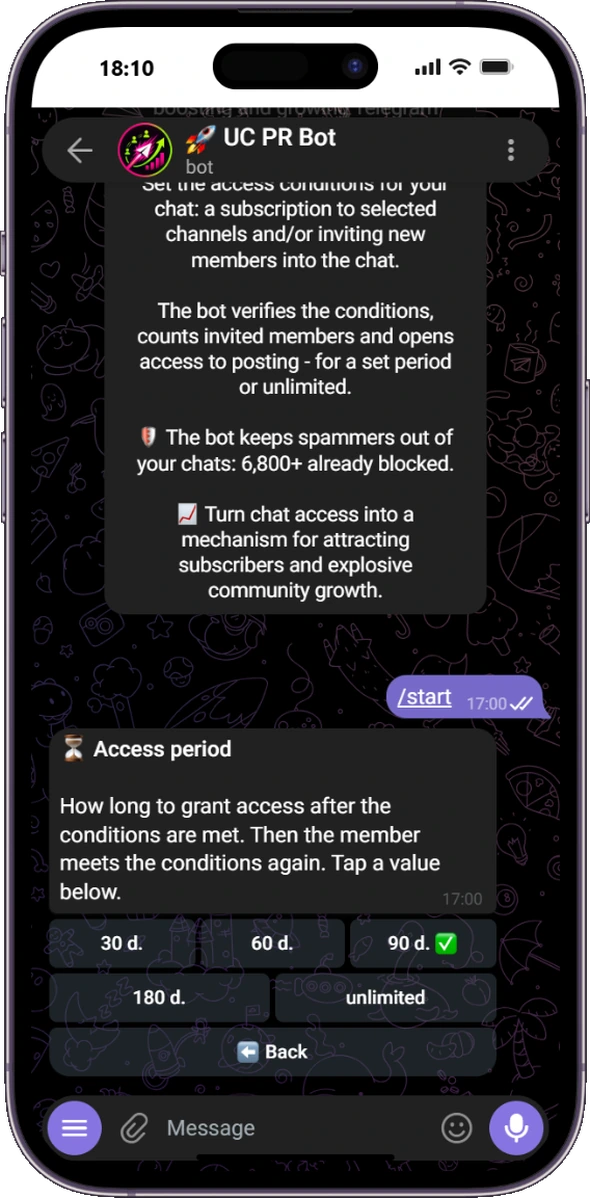
Configure subscriptions and invites
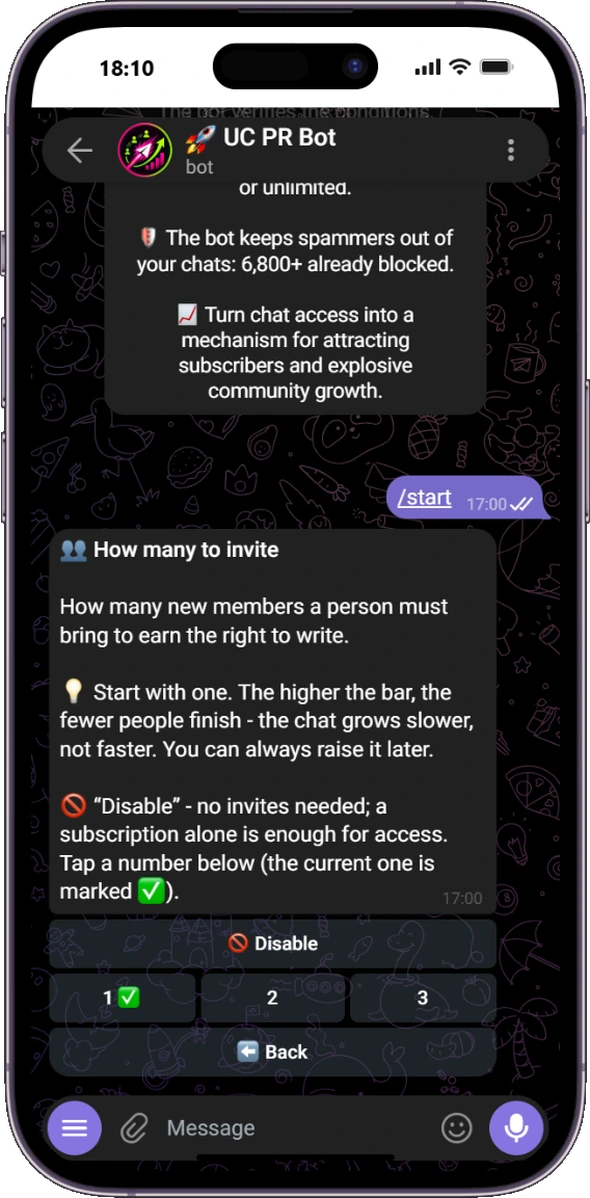
Add up to five channels or groups for membership checks. If invites are enabled, require one, two or three manually added members and choose whether to confirm immediately or after 1, 3, 7 or 14 days. If you only need channel subscription, choose Subscriptions only and leave invite tracking off.
Choose the group notification language
The administrator interface stays in your own language. Member-facing notifications use the language selected for that group. For example, an Arabic-speaking administrator can manage the bot in Arabic while members of an English-language group receive notices in English. Standard condition text is already available in all 16 languages. Custom text is not translated, so write it in the participants' language.
Keep the standard condition text when possible
It is already adapted to all 16 supported languages and changes automatically with the group language.
Setup FAQ
Why is my group missing from My groups?
You and UC PR Bot must both be administrators in that group. Reopen My groups after granting the permissions.
Why can the bot not verify a channel?
Telegram only exposes membership to an administrator of that channel or group. Add UC PR Bot as an administrator there too.
Can I use only channel subscriptions?
Yes. Choose Subscriptions only; invite tracking and the other optional tools can stay off.
Can I pause the access check?
Yes. Pausing removes conditions from members but keeps the saved settings for one-tap resume.
Can different groups use different languages?
Yes. The administrator chooses a personal interface language and a separate member notification language for each group.
Is UC PR Bot free?
Yes. There are no paid plans or hidden fees.
Start configuring your group
Open the bot and follow the buttons. Review the summary, then tap ✅ Start checks. You can change the settings or pause the check later.