
Telegram anti-spam bot with three known-spammer databases
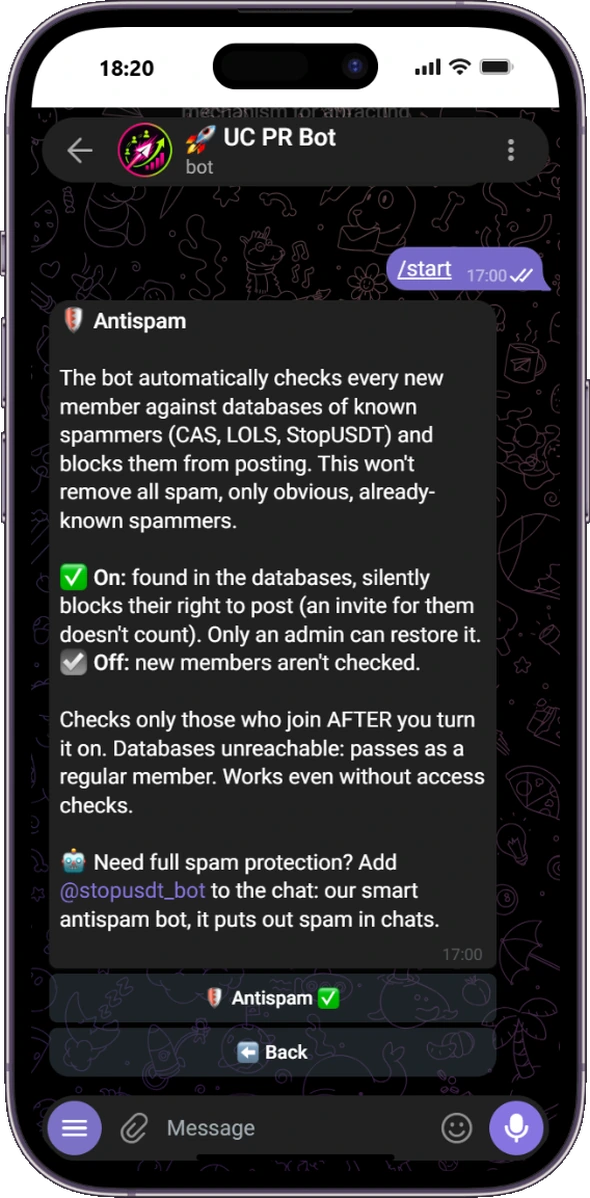
UC PR Bot checks newcomers against CAS, LOLS and StopUSDT. When a known spam account tries to post, its message is removed and posting is restricted. Ordinary members are not punished for incomplete access conditions.
Three independent spam databases
Each new member is checked against CAS, LOLS and the StopUSDT database built from real Telegram moderation cases. If a database is temporarily unavailable, the bot fails open instead of blocking an unverified person.
Separate controls for every group
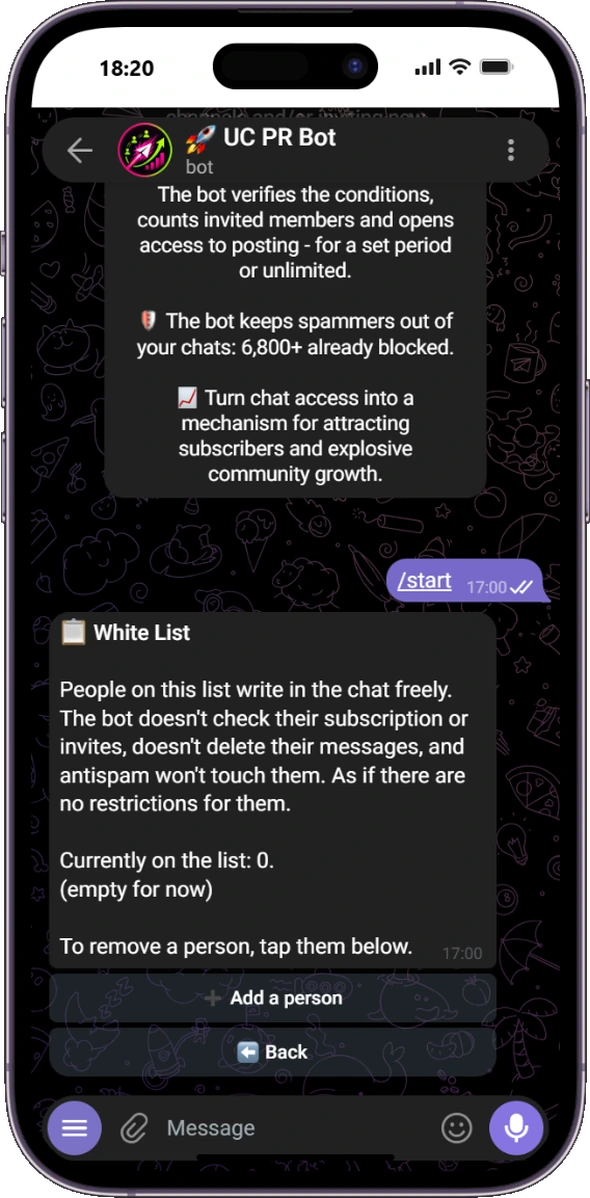
Anti-spam can be enabled or disabled independently in each connected group. The whitelist exempts trusted people from subscription checks, invite conditions, message deletion and anti-spam restrictions.
Clear reason in the group
When a known spam account is stopped, the bot leaves a short notice with the reason. Administrators do not need to search logs to understand what happened.
Need behavioural and message analysis too?
UC PR Bot checks known account databases. For additional analysis of fresh accounts, crypto scams, obfuscation and malicious messages, use it together with @stopusdt_bot.
Each bot also works on its own. When both share a group, a confirmed STOP SPAM removal makes UC PR Bot quietly remove that person's now-irrelevant access checklist. The chat keeps one clear moderation notice instead of two conflicting bot messages.
Anti-spam FAQ
Does anti-spam check every existing member?
It checks people who join after the feature is enabled. Existing members are not retroactively scanned as newcomers.
What happens if a database is unavailable?
The bot does not block the person based on a failed lookup. The group remains usable while the external service recovers.
Can trusted members bypass the checks?
Yes. Add them to the group whitelist.
Does this remove every kind of spam?
No single database can guarantee that. UC PR Bot blocks accounts already known to its sources. Pair it with message analysis for broader protection.
Enable anti-spam for your Telegram group
Add UC PR Bot as an administrator and turn anti-spam on with one button.